
The Complete Guide to Claude Code - 3x Engineer Productivity
"Can AI coding tools really be used in real business?"
Claude Code provides a clear answer to this question.
Claude Code, developed by Anthropic, stands apart from traditional AI coding assistance tools. It's not just code completion — it functions as a partner that seamlessly connects an engineer's "thinking" and "implementation".
In fact, at MASSIVE LINKS, where we practice AI-driven development, the introduction of Claude Code has enabled us to cut development time in half.
This article reveals how to use Claude Code to triple engineer productivity, from the basics to advanced techniques actually used in the field.
💡重要ポイント
What you'll learn from this article
- How to set up Claude Code in 5 minutes
- 5 essential basic operations
- 7 practical techniques used by professionals
- Real business case studies
- Common challenges and solutions
1. What is Claude Code - How It Differs from Other AI Tools
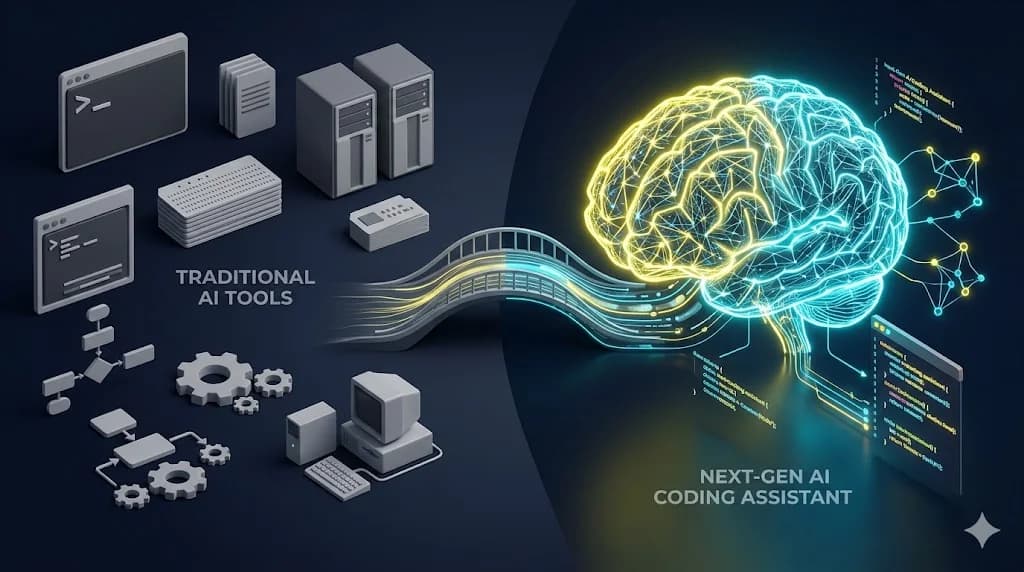
The Essence of Claude Code
Claude Code is a terminal-based AI coding agent developed by Anthropic.
Unlike VS Code extensions or chat-based AI like ChatGPT, Claude Code can directly understand and operate your entire codebase from the terminal.
What does this mean? Let's look at the specifics.
The Decisive Difference from Traditional AI Tools
If you're an engineer, you've likely tried various AI coding tools. GitHub Copilot, ChatGPT, Cursor, Tabnine — each has its strengths.
However, Claude Code has three decisive advantages that these tools don't.
Why Claude Code is Gaining Attention Now
As of 2026, the AI coding market is rapidly evolving. The reason Claude Code stands out is because it achieves "extending thought" rather than "replacing implementation".
While traditional AI tools aimed at "writing fast", Claude Code achieves "writing correctly". By deeply understanding the engineer's intent and the codebase context, it proposes and executes optimal implementations. This doesn't just superficially raise productivity — it fundamentally elevates code quality itself.
ℹ️重要ポイント
What Claude Code changes is not "how" code is written, but how engineers work. Free from tedious tasks, you can spend time on essential design and problem-solving.
2. Setting Up Claude Code - Get Started in 5 Minutes

Prerequisites
You only need 3 things to get started with Claude Code:
- Node.js 18 or later
- npm or pnpm
- Anthropic API key (obtainable from your Claude.ai account)
Now let's actually install it.
Installation Steps
Verification
Let's verify that the setup is complete. When you run claude in your project directory, you'll see a prompt like this:
$ claude
Claude Code v1.0
Working directory: /path/to/your/project

>
Try entering "Tell me about this project". Claude Code will automatically analyze the project structure and provide an accurate response.
You're now ready to use Claude Code. Total time: just 5 minutes. Let's look at the actual usage next.
3. Basic Usage - 5 Commands to Master First

To master Claude Code, first focus on these 5 basic operations. Just memorizing these will cover 80% of your work.
Command 1: File Understanding and Explanation
The most basic usage is to have Claude Code "read" your code.
> Read src/components/Header.tsx and explain what it does
Claude Code reads the specified file and analyzes its role, dependencies, and potential issues. Onboarding to a new project becomes dramatically faster as code understanding accelerates.
Command 2: Adding/Modifying Features
You can also implement new features through natural language.
> Add a search box to Header.tsx. Use shadcn/ui's Input for the design,
> and use lucide-react's Search icon for the search icon
Claude Code respects existing code style while implementing exactly as instructed. The important point is that it implements with full context of the project. Even for the same "search box addition", it proposes implementations that match your project's architecture.
Command 3: Bug Fixing
Identifying root causes and fixing errors is also a strong area.
> I'm getting this error from npm run build:
> "Type 'string | undefined' is not assignable to type 'string'"
> Fix it
Claude Code identifies the cause and proposes appropriate fixes. Beyond just making it work, the major characteristic is that it explains why the error occurred and provides fundamental solutions.
Command 4: Refactoring
Resolving technical debt is also one of Claude Code's strengths.
> Look at components/Dashboard.tsx, the responsibilities seem too broad.
> Suggest appropriate refactoring with proper division
Claude Code understands the single responsibility principle and proposes appropriate component splits and logic extraction. This contributes to overall team code quality improvement.
Command 5: Documentation Generation
You can also automatically generate documentation from code.
> Read the files under src/lib/api/ and write the API specification in OpenAPI format
This significantly reduces time spent on technical documentation.
✓重要ポイント
Just a week of using these 5 basic operations is enough to feel Claude Code's power. The key is to habituate the simple cycle of "give instructions, verify results".
4. Practical Techniques - How to Triple Engineer Productivity

Once you've mastered the basics, it's time for practical techniques. This is where true productivity gains begin.
Technique 1: Explicit Context Provision
Claude Code is smart, but explicitly stating "what it should know" improves accuracy further.
> This project uses Next.js 15 + TypeScript + Tailwind v4.
> We use shadcn/ui, with React Server Components for state management.
> We support multiple languages with next-intl.
>
> With this context, implement a user profile page
By communicating the technical stack and policies upfront, you can reduce off-target proposals.
Technique 2: Step-by-Step Implementation
For complex features, building incrementally produces higher quality than building all at once.
> Step 1: Create user model type definitions in src/types/user.ts

[Verify the result]

> Step 2: Use the above types to create API handlers

[Verify the result]

> Step 3: Implement frontend components
This approach feels close to pair programming with a human. By reviewing as you go, you can catch problems early.
Technique 3: Automated Test Code Generation
Writing tests in parallel with implementation ensures quality.
> Write tests for src/lib/utils/formatDate.ts using vitest.
> Include edge cases, minimum 10 cases
Test code that covers even edge cases is generated instantly. You'll feel test-driven development (TDD) becomes dramatically easier.
Technique 4: Performance Improvement Requests
Identifying and improving bottlenecks is also a strong area.
> The display of src/app/dashboard/page.tsx is slow.
> Identify the performance bottleneck and propose improvements
Claude Code analyzes bottlenecks from various angles: unnecessary re-renders, N+1 problems, large bundle sizes, etc.
Technique 5: Code Review Requests
Useful for self-review before creating a PR.
> Review the changes in recent commits.
> Point out any issues from security, performance, and maintainability perspectives
You can find detailed issues that human reviewers might overlook.
Technique 6: Migration Automation
Library version upgrades and tech stack migrations can also be automated.
> Migrate this project from Tailwind v3 to v4.
> Fix all breaking changes
Work that normally takes half a day can be completed in an hour.
Technique 7: Use as a Learning Resource
When learning new technologies, Claude Code is the best teacher.
> I want to implement form processing using Server Actions in this project.
> Create implementation examples following best practices, with explanations
The major benefit is being able to learn in a form tailored to your own project, rather than reading official documentation.
5. MASSIVE LINKS Case Studies - Cutting Development Time in Half

Beyond theory, let's share how it's actually being used. At MASSIVE LINKS, we use Claude Code in various scenarios.
Case 1: Large-Scale System Replacement
A core system replacement project for a travel industry client. Traditional methods would have required 12 months of development.
With AI-driven development centered on Claude Code, the results were:
50%
Time Reduction
60%
Cost Reduction
3x
Velocity Increase
The most effective phase was legacy system analysis. By having Claude Code read legacy code, we dramatically accelerated the discovery of undocumented specifications.
Case 2: SaaS Product Scaling
Another client's SaaS product was experiencing performance issues due to rapid user growth.
Approach using Claude Code:
- Problem Identification: Analyzed the entire codebase to identify bottlenecks in 3 days
- Solution Examination: Compared multiple approaches
- Phased Implementation: Reflected to production while minimizing risk
Result: We achieved 5x faster response times and reduced server costs by 30%.
Case 3: New Product MVP Development
A startup client requested MVP development for a new SaaS product.
We completed in 6 weeks an MVP that would normally take 3 months. Claude Code particularly excelled in:
- Rapid implementation of standard features like authentication and billing
- Mass generation of frontend components
- Automatic API documentation generation
- Maintaining 80%+ test coverage
AI-Driven Development
Build systems in half the time by placing AI at the core of your development workflow.
Learn More →What these cases share is that we incorporated Claude Code as the "core of our development methodology", not just as a "tool". Rather than using AI peripherally, we redesigned the entire development process with AI as the premise. This is the essence of "AI-Driven Development" that MASSIVE LINKS proposes.
6. Frequently Asked Questions and Troubleshooting
Here are common questions during introduction and their answers.
Q1: Can I use it alongside existing editors (VS Code, etc.)?
Yes, completely compatible. Since Claude Code runs in the terminal, you can continue using your editor as usual. Actually, the efficient approach is using your editor for small fixes and Claude Code for major changes.
Q2: What should I be careful of when introducing it team-wide?
Three points to keep in mind:
1. Establish Unified Guidelines
How instructions are given to Claude Code varies by person. Preparing common prompt templates for the team prevents quality variations.
2. Maintain Review Culture
Even AI-generated code must be reviewed by humans. This is important not just for quality assurance, but also for maintaining team member skills.
3. Cost Management
API usage costs vary greatly with usage. Build a system that monitors monthly and maintains appropriate usage levels.
Q3: What about security?
When dealing with code containing confidential information, ensure:
- Don't hard-code API keys or secrets in code
- Don't have Claude Code directly read confidential files like
.env - For code handling personal information, verify with test data
- For corporate confidential information, check your company's AI usage policy
Q4: What's the learning curve?
Mastering basic operations takes about 1 week. However, full mastery requires 1-2 months of practical trial and error.
Start with small tasks, then gradually entrust larger tasks.
Q5: Will AI ever make wrong suggestions?
Of course it will. Claude Code is not perfect either.
The important thing is to develop the habit of always confirming and verifying, not treating AI suggestions as "absolute". AI is a powerful assistant, but engineers should make final decisions.
⚠️重要ポイント
Claude Code is a powerful tool, but not a silver bullet. The key is understanding AI's characteristics and using it appropriately. Reference this article and start with small tasks first.
7. Conclusion - The First Step to AI-Driven Development

Here we've comprehensively explained how to use Claude Code. Finally, let's organize the key points of this article.
The Essence of Claude Code: While traditional AI coding tools aimed at "writing fast", Claude Code achieves "writing correctly" and "thinking deeply".
What to Master First: By mastering 5 basic operations (file understanding, feature addition, bug fixing, refactoring, documentation generation), you can cover most of your work.
Practical Use: With 7 techniques like explicit context, phased implementation, and automated test generation, you can triple productivity.
Choosing AI-Driven Development: Will you use Claude Code as a mere "convenient tool", or as the "starting point of transformation" for redesigning your entire development process? Companies that choose the latter will dominate the next 10 years.
How MASSIVE LINKS Can Support You
"We want to introduce Claude Code, but don't know how to proceed alone." "We want to seriously start AI-driven development." — MASSIVE LINKS responds to such voices from companies.
As an AI-driven development practitioner, we provide total support from technology selection to organizational transformation. Won't you leverage our track record of cutting client development time in half, and our expertise in mastering the latest AI tools including Claude Code, for your business growth?
🚀 ai-driven-development
Transform Development Standards with AI-Driven Development
MASSIVE LINKS is a specialist team in AI-driven development utilizing Claude Code. We provide consistent support from introduction to implementation. Free 60-minute initial consultation available.
Free Consultation →Speed is the Soul.
This is one of MASSIVE LINKS' values. The "speed" that AI-driven development brings is not just about completing things quickly. It elevates adaptation speed to change, market launch speed, and lead speed against competitors — all of these.
Claude Code is the optimal first step. Use this article as a reference, and please start today.
And when you want to seriously implement AI-driven development, please contact MASSIVE LINKS. Let's build your "Unfair Advantage" together.